Automate Your Entire Back-Office Pipeline
Your processes are manual and fragile. When someone is sick or busy, documents pile up and deadlines are missed.Visual workflow builderSmart exception handling24/7 automated execution
The Challenge
Manual steps can exist in a single operational workflow
Of exceptions still require manual handling
Operational scaling without automation
How does it work?
Design Workflow
Step 1Use the visual builder to define your automation pipeline.
Set Rules
Step 2Configure validation, routing, and exception handling rules.
Deploy
Step 3Activate the workflow with one click - it runs 24/7.
Monitor
Step 4Track execution, handle exceptions, and optimize over time.
Drag, connect, deploy. No code.
Build your end-to-end workflows visually. Triggers, classification, validation, branches, exceptions - all with the blocks that run in production.

Results & ROI
100% manual
Every customs declaration required an operator to manually enter data and validate.
Automated flow
Only exceptions and edge cases require human attention. Routine declarations fly through.
Routine declarations move through automatically
From document receipt to system submission, with exceptions routed for review.
“With Chainfill we work more efficiently, grow without extra headcount, make fewer errors, and our team has more attention for customers.”
Works great with
Combine solutions for end-to-end automation.
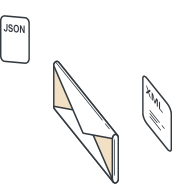
Connect Chainfill to your logistics stack
Use supported connectors, API, EDI, or SFTP to move validated data into your systems.
Learn more →Turn Your Inbox into an Automated Workflow
AI reads, classifies, and routes your logistics emails - then drafts responses and updates your systems automatically.
Learn more →Frequently Asked Questions
No. Workflows can include unlimited steps, branches, conditions, and loops. We've seen customers build workflows with 50+ nodes handling complex multi-party logistics processes.
You define approval rules based on value thresholds, document types, or custom conditions. Approvers receive notifications and can approve from email or the dashboard.
Yes. Every workflow execution is fully logged with timestamps, operator IDs, and decision rationale. Logs are immutable and exportable for audit purposes.